幾何

回転

90度回転

専用のメニューを使用すると、画像を時計回りまたは反時計回りに90度回転させることができます。この回転処理ではピクセルの補間が行われないため、90度の倍数で画像を回転させたい場合に最適な方法です。この機能は、ツールバーにある rotate-acw および rotate-cw アイコンからも利用できます。

回転・切り抜き

別の角度で回転させるには、回転・切り抜きツールの使用が必要です。このツールを使えば、簡単に操作しながら、正確な回転や切り抜きを行うことができます。
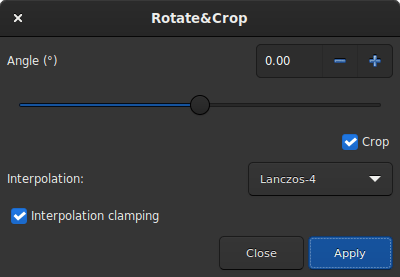
回転・切り抜き

すべての設定が表示された回転・切り抜きダイアログボックス。

5つの補間アルゴリズムが利用可能です:

  • Nearest Neighbor

  • Bilinear

  • Bicubic

  • Pixel Area Relation

  • Lanczos-4 (Default)

Lanczos-4 is the one that gives the best results. However, if you see artifacts, especially stars surrounded by black pixels, then you may want to try others. However, the button Interpolation clamping applies a clamping factor to Bicubic and Lanczos-4 interpolation in order to prevent ringing artifacts.

If you don't want the image to be cropped after rotation, then you should uncheck the crop button. However, the missing areas of the picture will be filled with black pixel.

The interest of this tool is that the rotation of the image is represented by a red frame, as illutrated in the figure below. In addition, if a selection is active, it is possible to change its size and see in real time the framing evolve.
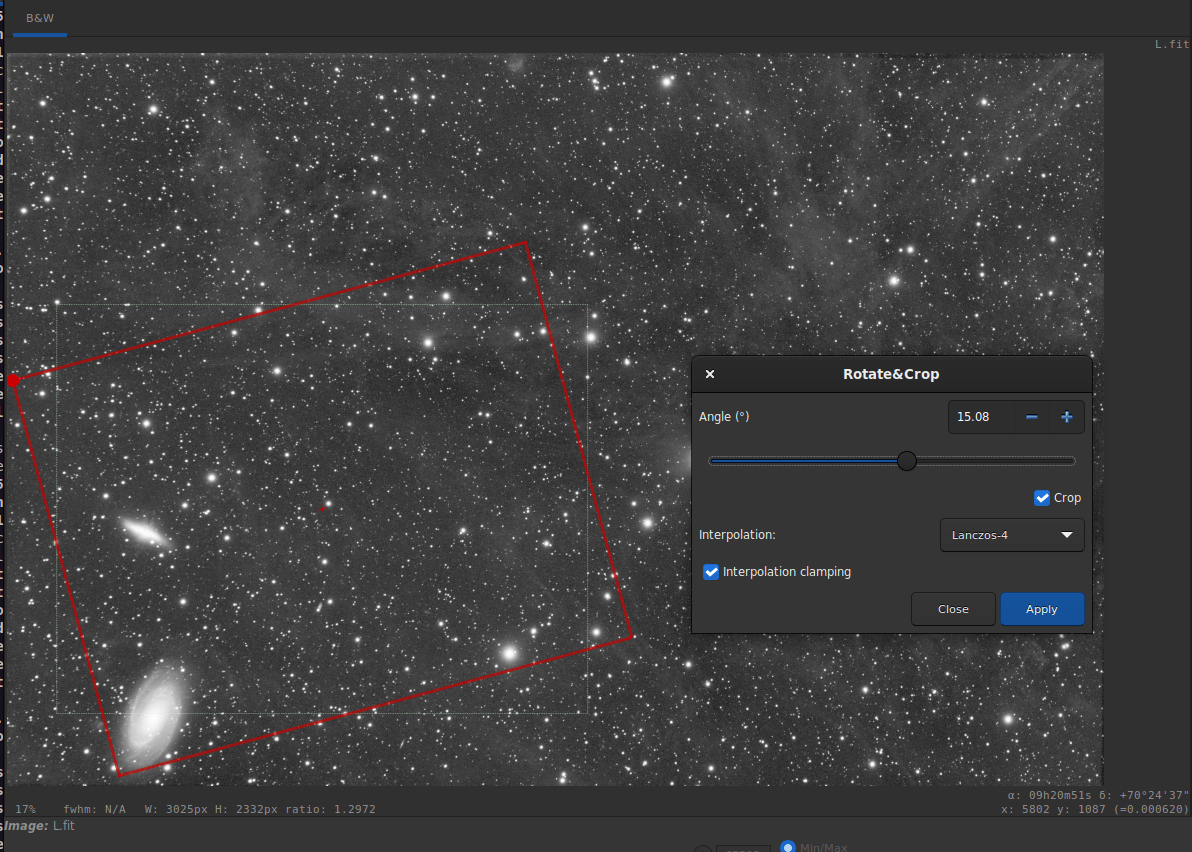
Crop in Rotate&Crop

Rotate&Crop dialog box with a active selection. Click to enlarge the figure and see the details better.

Sirilコマンドライン

rotatePi
読み込まれた画像を、その中心を軸として180°回転させる。これは、コマンド"ROTATE 180"または"ROTATE -180"と同じです

リンク: rotate

Sirilコマンドライン

rotate degree [-nocrop] [-interp=] [-noclamp]
Rotates the loaded image by an angle of degree value. The option -nocrop can be added to avoid cropping to the image size (black borders will be added).

Note: if a selection is active, i.e. by using a command `boxselect` before `rotate`, the resulting image will be a rotated crop. In this particular case, the option -nocrop will be ignored if passed.

The pixel interpolation method can be specified with the -interp= argument followed by one of the methods in the list no[ne], ne[arest], cu[bic], la[nczos4], li[near], ar[ea]}. If none is passed, the transformation is forced to shift and a pixel-wise shift is applied to each image without any interpolation.
Clamping of the bicubic and lanczos4 interpolation methods is the default, to avoid artefacts, but can be disabled with the -noclamp argument

鏡映

また、画像に鏡像変換を適用することも可能です。x軸方向またはy軸方向のいずれかで行なえます。この変換は、ツールバーの mirrorx および mirrory ボタンからも実行できます。

Sirilコマンドライン

mirrorx [-bottomup]
Flips the loaded image about the horizontal axis. Option -bottomup will only flip it if it's not already bottom-up

Sirilコマンドライン

mirrory
Flips the image about the vertical axis

Binning

The binning is a special transformation for resampling image. It computes the sum or mean of the pixels 2x2, 3x3, ... (depending of the binning factor) of the in-memory image (like the analogic binning of CCD camera).
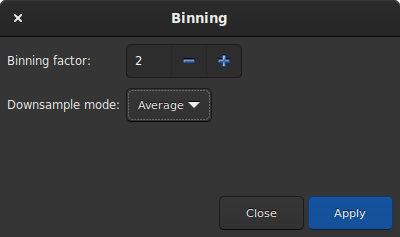
Bin dialogbox

Binning dialog box

Sirilコマンドライン

binxy coefficient [-sum]
メモリ上の画像に対して数値ビニングを実行します(2×2、3×3 などのピクセルを加算する処理で、CCD カメラのアナログビニングに相当します)。オプション引数 -sum を指定した場合はピクセルの合計値を計算し、指定しない場合は平均値が計算されます

Resample

The resample tool allows to resize the image at the cost of an interpolation chosen from the following list:

  • Nearest Neighbor

  • Bilinear

  • Bicubic

  • Pixel Area Relation

  • Lanczos-4 (Default)

Lanczos-4 is the one that gives the best results. However, if you see artifacts, especially stars surrounded by black pixels, then you may want to try others. However, the button Interpolation clamping applies a clamping factor to Bicubic and Lanczos-4 interpolation in order to prevent ringing artifacts.

If you want to change the image ratio, then you should uncheck the Preserve Aspect Ratio button.
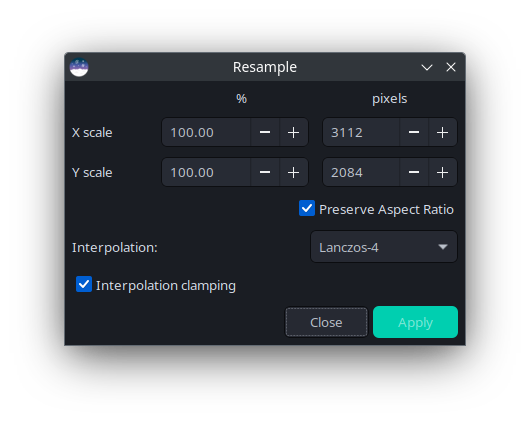
Resample dialogbox

Resample dialog box

Sirilコマンドライン

resample { factor | -width= | -height= | -maxdim= } [-interp=] [-noclamp]
Resamples the loaded image, either with a factor factor or for the target width or height provided by either of -width=, -height= or -maxdim=. This is generally used to resize images: a factor of 0.5 divides size by 2. The -maxdim argument can be used to resize the longest dimension of the image to a set size, which can be useful for optimizing images for certain websites, e.g. social media websites.
In the graphical user interface, we can see that several interpolation algorithms are proposed.

The pixel interpolation method can be specified with the -interp= argument followed by one of the methods in the list no[ne], ne[arest], cu[bic], la[nczos4], li[near], ar[ea]}.
Clamping of the bicubic and lanczos4 interpolation methods is the default, to avoid artefacts, but can be disabled with the -noclamp argument
seqresample sequencename { -scale= | -width= | -height= } [-interp=] [-prefix=]
Scales the sequence given in argument sequencename. Only selected images in the sequence are processed.

The scale factor is specified either by the -scale= argument or by setting the output width, height or maximum dimension using the -width=, -height= or -maxdim= options.

An interpolation method may be specified using the -interp= argument followed by one of the methods in the list ne[arest], cu[bic], la[nczos4], li[near], ar[ea]}.. Clamping is applied for cubic and lanczos interpolation.

The output sequence name starts with the prefix "scaled_" unless otherwise specified with -prefix= option