Image Inspectors
Siril has several tools that can help you to analyze your image and tell you about the quality of the shot. In particular if your setup has or not optical defects.
Tilt
The first tool proposed by Siril is the tilt calculation. Sensor tilt occurs when the sensor is not orthogonal to the imaging plane: this requires an intervention on the optical system. You can execute this functionality in two different ways. Either via the GUI (in the menu ) or via the command line. The latter even offers an alternative that allows you to calculate the tilt over a whole sequence of images for greater accuracy. The following command:
Sirilコマンドライン
tilt [clear]
will output:
22:28:13: Running command: tilt
22:28:13: Findstar: processing for channel 0...
22:28:15: Stars: 7598, Truncated mean[FWHM]: 3.40, Sensor tilt[FWHM]: 0.31 (9%), Off-axis aberration[FWHM]: 0.39
In the console are indicated:
the number of stars used for the measurement
the average FWHM on the sensor, free of outliers
the tilt, expressed as the difference between the best and the worst FWHM on the 4 corners of the image with in parenthesis the percentage of tilt deviation (value greater than 10% indicates a tilt problem)
the aberration, expressed by the difference in FWHM between the stars in the center and the stars on the edges of the sensor
If the number of stars detected is low (<200), the dynamic PSF detection parameters allow improvement by adjusting the threshold / radius. In fact, the greater the number of stars used in the calculation, the more reliable the result of the analysis.
警告
For the result to make sense, it is preferable to run this command on a sub and not a stacking result. A pre-processed image (just demosaiced for color sensors) is therefore ideal. Moreover, the drawn quadrilateral has its proportions exaggerated, in order to be more visible on the screen. It can’t correspond exactly to reality.
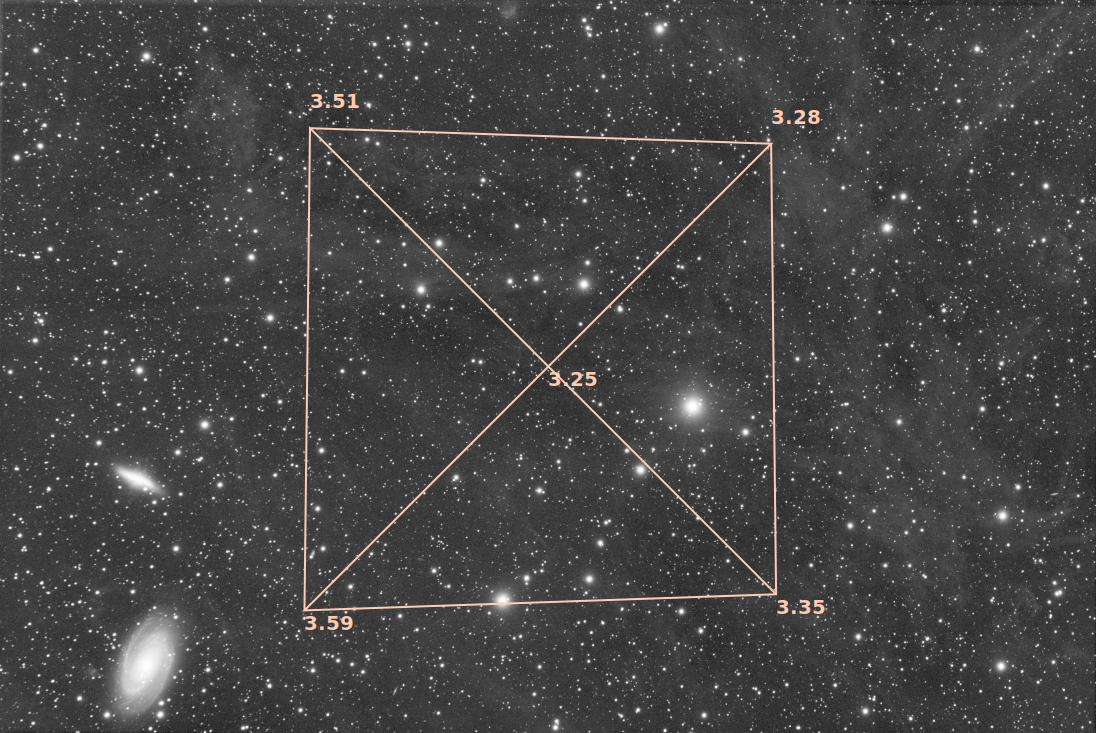
Display of the tilt diagram
Tip
As well as using the tilt -clear command, the tilt diagram can be cleared using the Remove button in the Dynamic PSF dialog.
Sirilコマンドライン
seqtilt sequencename
収差インスペクタ
このツールは、画像の中心、四隅、および縁の部分からなる3×3のモザイクを作成します。これにより、画像の各部分における星の形を簡単に比較できます。この機能は、メニューの から利用できます。パネルのサイズやウィンドウのサイズを変更するなど、このツールの設定は 設定 で変更できます。
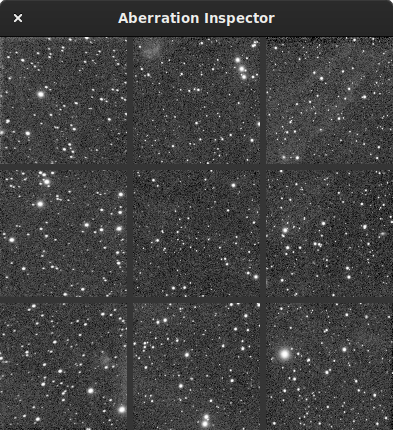
光学系に起因して、端にある星に収差が生じている様子を示す収差インスペクタウインドウ。
また、画像にグラデーションが含まれているかどうかを見極める上でも、非常に良い指標となります。明るさの差がはっきりと目立つようになるからです。
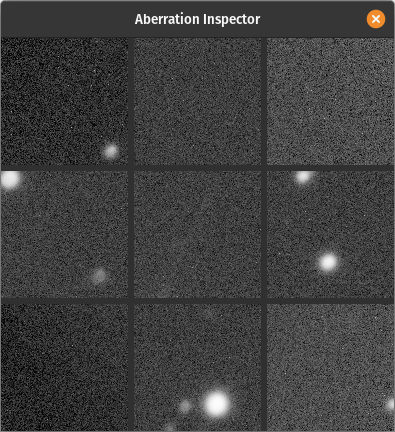
輝度の違いを示す収差インスペクタウインドウ。
Sirilコマンドライン
inspector