前処理
この節では、Sirilへのインポートからスタック画像の取得まで、画像の前処理のさまざまなステップを説明します。
右側のペインには、前処理中に役立つタブが含まれています。これらのタブは、マスターを作成する際の例外を除いて、プロセス全体を通して左から右に使用するように設計されています。これらのタブは F1 から F7 のキーでもアクセスできます。
前処理は、画像のスタッキングへの変換から始まる段階です。その目的は、不要な信号をすべて除去し、サブ画像すべてに存在するノイズを低減することです。
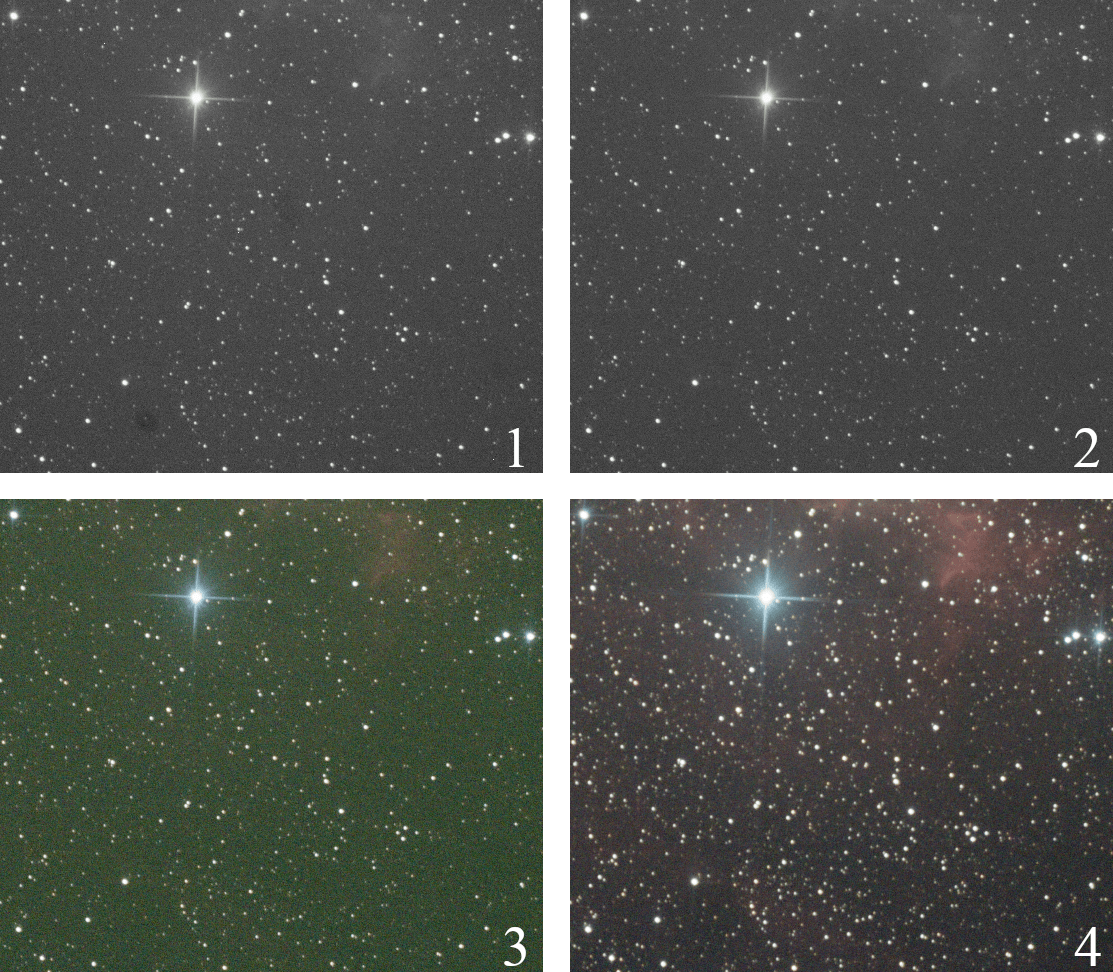
Image 1 shows the result of the conversion of a raw digital camera image. You can see visible dust, similar to dark spots. Image 2, after calibration of the images by the master darks, bias and flats shows the complete removal of these spots and a cleaner signal. Image 3 is the same after demosaicing, showing color and a very large green cast due to the higher sensitivity of the green photosites on the sensors. Finally, image 4 is the stacking output, with channel balancing.