Аннотации
Annotations are glyphs displayed on top of images to depict the presence of known sky objects, like galaxies, bright stars and so on. They come from catalogues but can only be displayed on images for which we know which part of the sky they represent, images that have been plate solved and contain the world coordinate system (WCS) information in their header, so only FITS or Astro-TIFF files.
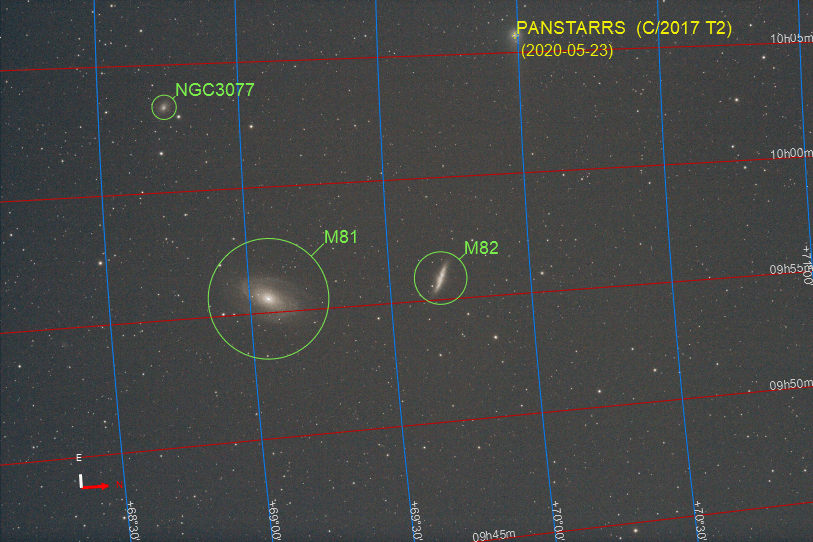
Вид полностью аннотированного изображения
Plate solving, can be done within Siril in the menu entry, or using external tools like astrometry.net or ASTAP.
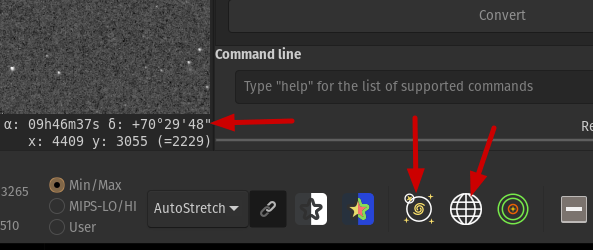
Кнопки для аннотаций
Когда в Siril загружается изображение, имеющее астрономическое решение, вы можете увидеть координаты неба для пикселя под указателем мыши, отображаемым в правом нижнем углу, и становятся доступными кнопки, связанные с аннотациями. Первая кнопка включает или выключает аннотации объектов, вторая — небесную сетку и компас.
Offline annotation catalogues
Siril поставляется с заранее определенным списком каталогов для аннотаций:
Каталог Мессье (М)
Новый общий каталог (NGC)
Индекс-каталог (IC)
Каталог тёмных туманностей Линдс (LdN)
Каталог Шарплесса (Sh2)
Каталог звёзд (3661 ярчайших звёзд)
Линии созвездий МАС
Названия созвездий МАС (положения получены с этой страницы)
В дополнение могут быть использованы 2 пользовательских каталога:
Пользовательский каталог объектов глубокого космоса (DSO)
Пользовательский каталог объектов Солнечной системы (SSO)
They are populated with the commands described in the section about searching for a known object.
They are stored in the user settings directory. Their location depends on the operating system:
для UNIX-подобных ОС они будут в
~/.config/siril/catalogueна Windows они в
%LOCALAPPDATA%\siril\catalogue.
All of the above catalogues can be enabled/disabled for display in the tab.
The two user defined catalogues can also be purged (i.e. deleted) via the appropriate buttons.
Ползунок, расположенный справа, позволяет вам легко перемещаться по списку каталогов.
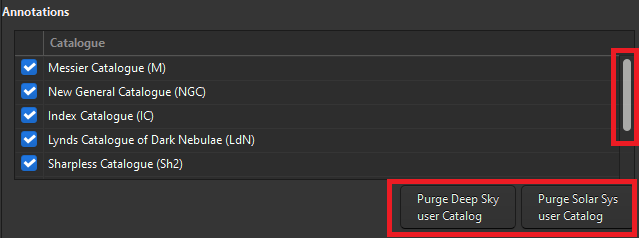
Управление каталогами в Настройки/Астрометрия
There's also a simpler way of accessing this list, as well as the button for displaying/hiding catalog annotations. Right-click on the annotations button in the toolbar and the list will be displayed in a popup window.
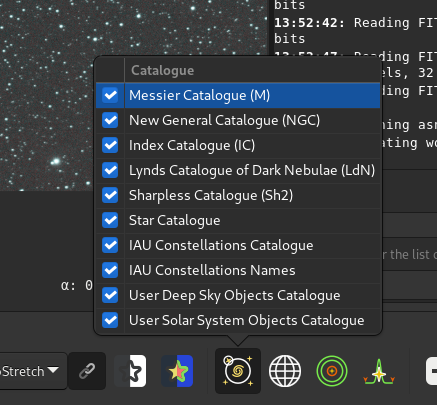
Catalogue management in the pop-up window triggered by right-clicking on the annotation button.
These annotation catalogues are used primarily for display purposes. Starting from Siril 1.3, they are also used to locate the center of the image for astrometry tool. If the object is found locally, the resolver will be shown as Local. If not, it will fall back using an online resolver.
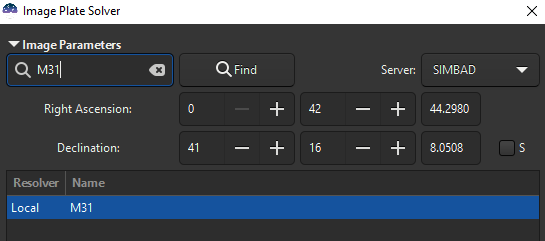
Object resolved from local annotations catalogues
Online annotation catalogues
You may want to query other databases than the ones already shipped with Siril, described in the offline annotation catalogues section. This works, again, for plated-solved images only.
Starting from Siril 1.3, this is possible with the command conesearch.
This new command replaces and expands capabilities previously provided by nomad
and solsys from Siril 1.2.
Командная строка Siril
conesearch [limit_magnitude] [-cat=] [-phot] [-obscode=] [-tag={on|off}] [-log={on|off}] [-trix=] [-out=]
This command is accessible from the graphical interface via the .
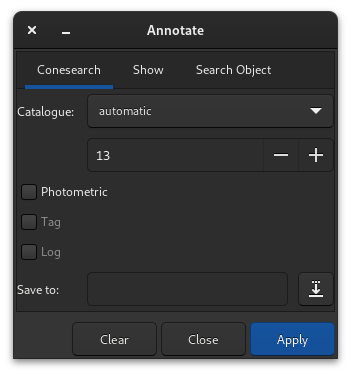
Графическая версия команды conesearch
The table below lists all the catalogues that are available, alongside links to the original data.
Каталог |
-cat= |
Литература |
|---|---|---|
Local |
Omitted |
using local star catalogues |
Tycho2 |
tycho2 |
|
Nomad |
nomad |
|
GAIA DR3 |
gaia |
|
PPMXL |
ppmxl |
|
Каталоги ярких звёзд |
bsc |
|
APASS DR9 |
apass |
|
GCVS |
gcvs |
|
VSX |
vsx |
|
SIMBAD |
simbad |
|
PGC/HYPERLEDA |
pgc |
|
Архив экзопланет |
exo |
|
AAVSO VSP |
aavso_chart |
|
IMCCE Solar system skybot |
solsys |
The following queries are brought to you thanks to:
Vizier (through CDS Vizier TAP query service)
Simbad (through CDS Simbad TAP query service)
IMCCE (through its skybot conesearch service)
NASA exoplanet archive (though its TAP query service)
For solar system object queries, you may pass an additional parameter -obscode=, the 3-symbol code for an IAU observatory close by to your observing location. This will improve annotations accuracy. Please note that results may still slightly differ from those obtained by making a direct ephemerides query for a specific object, which uses the exact observing location (if present in the FITS header).
Совет
A preferred observatory code may be set in the Astrometry tab in the Preferences dialog. If set, this will be used for the Solar System Objects GUI tool and will also be used in the conesearch command unless the -obscode= argument is provided.
These additional annotations will be displayed in RED, to differentiate them
from offline annotations, shown in GREEN. These annotations will be erased as
soon as the Show Objects names button is toggled.
Дополнительные каталоги
You may want to display your own user catalogues. This can be done with the command show. This command can also be used to display, for instance, csv files created with the feature to find comparison stars.
Командная строка Siril
show [-clear] [{ -list=file.csv | [name] RA Dec }] [-nolog] [-notag]
These catalogues may be any csv (comma-separated) file, respecting the following rules:
строки с комментариями, если необходимы, должны начинаться со знака #
a line should be present at the top with the column names, comma separated
at least ra and dec columns should be provided, in decimal degrees.
the columns can be written in no particular order
other columns can be passed:
name (str)
diameter (double), the object diameter in arcmin
mag (double), the object magnitude
type (str), which will be appended between () after the name in the Console
Other columns than those listed above may be passed but they will not be used.
This command is accessible from the graphical interface via the .
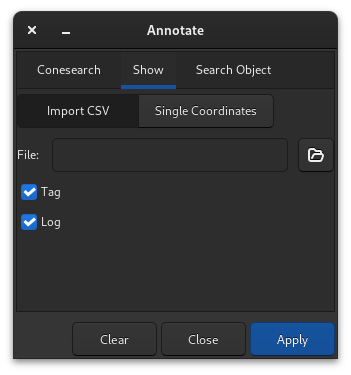
You can either load a *.csv file containing several lines of
comma-separated ra, dec coordinates in Import CSV, or a single point
in the Single Coordinates tab.
In the case of a single point, you can save the result in the Deep Sky user catalogue by clicking on the save button as shown in the illustration bellow:
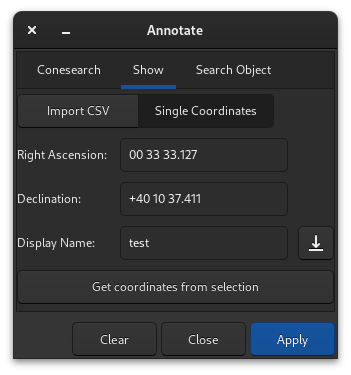
It is possible to show only one single point and to save it in the Deep Sky user catalogue.
Совет
The save button will only work if the field Display Name is filled.
Совет
You can select a star or object and obtain its coordinates using the Get coordinates from selection button.
Список известных пользовательских каталогов:
Sometimes, users create their own catalogues, we can try to link them here to help everybody.
Variable stars, extracted from GCVS 5.1, discussed here in French, (
file link).
Предупреждение
Contrarily to the instructions discussed in the linked topic, it is not recommended to replace the user-DSO catalogue with such files. The usage is discouraged as some of them could be particularly big and would slow down tremendously every annotation redraw.
Поиск известного объекта
If you know a specific object is somewhere in the image (if not, see the search for an unknown object section), it is possible to add it to annotations.
Deep-sky objects
Load a plate resolved image and type Ctrl+Shift+/ or then go to the Search Object tab of the dialog box.
A search dialog box is available, as illustrated below, in which object names can be entered.
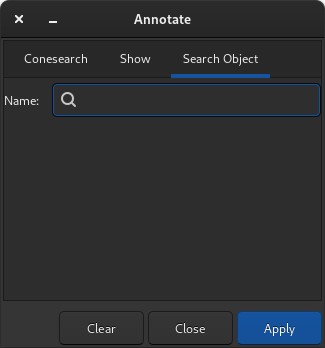
Search Object dialog
Pressing Enter or Apply will first search for this name the existing annotation catalogues in case it already exists under another name. If not it will send an online request to SIMBAD to get the coordinates of an object with such a name. If found, and not already in any catalogue, the object will be added to the Deep Sky user catalogue.
The items of this catalogue are displayed in ORANGE while the objects from the predefined catalogues are displayed in GREEN.
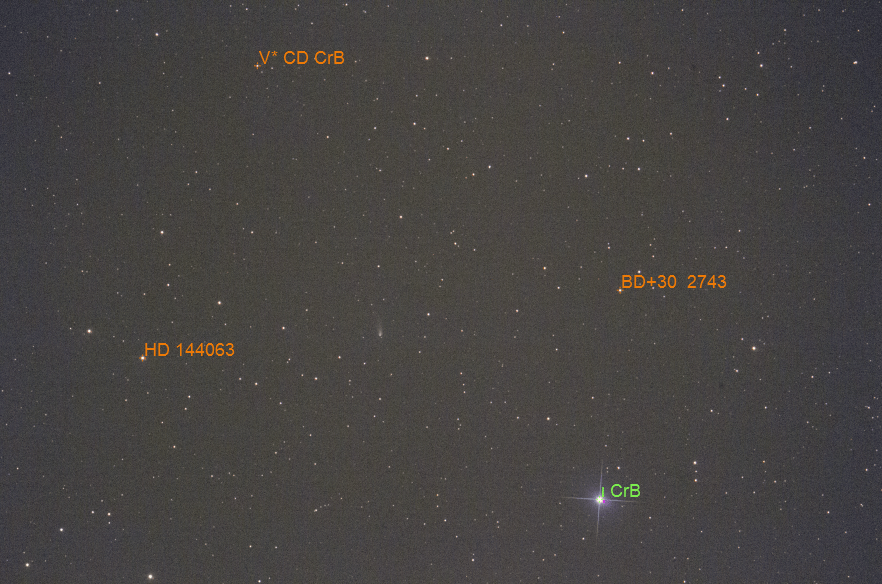
Объекты дальнего космоса из пользовательского и предопределенных каталогов
Examples of valid input (not case sensitive):
HD 86574илиHD86574оба запроса подходят для этой звезды
Объекты Солнечной системы
From Siril version 1.2, objects from the solar system can also be searched for,
using the Miriade
ephemcc
service. This is done in the same manner as for Deep Sky Objects, but
prefixing the name of the object to be searched
by some keyword representing the type of object: a: for asteroids,
c: for comets, p: for planets, dp: for dwarf planets and
s: for natural satellites.
If you query an image taken from a close enough date and time (same night) than
another image already annotated with SSOs, their cached positions
will be used and corrected by each object velocity as returned by the ephemerids.
The items of this catalogue are displayed in YELLOW.
Примеры допустимых поисковых запросов (регистр не имеет значения):
c:67pилиc:C/2017 T2являются допустимыми формами запроса для кометa:1 и a:ceres допустимы для (1) Цереры
a:2000 BY4действителен для 103516 2000 BY4p:4orp:marsare both valid for Marsdp:Plutois valid for Plutos:Moonors:Iois valid for natural satellites.
Предупреждение
Images that do not have a DATE-OBS header key cannot be annotated for SSOs.
Images that do not have observer location information (SITELAT, SITELONG and
SITEELEV header keys) will still be annotated, but assuming a geocentric
observer position, i.e. as if observing from center of the Earth. Depending
on objects distance wrt. Earth, this may result in positions being slightly
offset from their real positions.
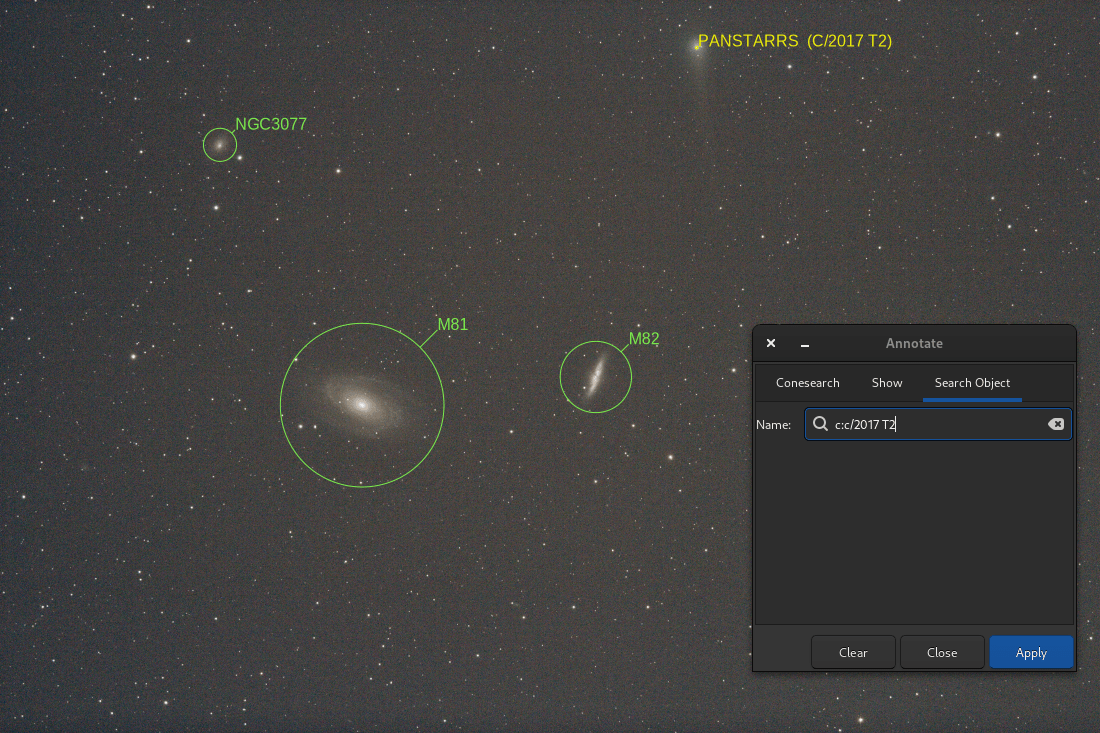
Результат процесса поиска в Солнечной системе
Command catsearch
The same feature is accessible through the command catsearch:
Командная строка Siril
catsearch name
Поиск неизвестного объекта
Especially useful for photometry works, it is possible to identify a star or other objects in the image by drawing a selection around them, right clicking to bring up the context menu, and selecting the PSF entry.
This will open the PSF window, and if it is a star it will display the Gaussian fit parameters, but it will also display a Web link at the bottom left of the window. Opening it will bring you to the SIMBAD page for the coordinates of the object and in many cases will give you the name of the object.
SIMBAD does not have all known objects, but the coordinates from the page can still be used as a starting point to look for the object in other online catalogues, for example Gaia DR3 (VizieR).