坏点修正
In Siril, the cosmetic correction is the step that gets rid of hot and cold pixels in the image. It is usually done during pre-processing using the master-dark. This is because the latter usually contains a good map of the defective pixels and it is easier to find them on it. However, when you don't have a master-dark, Siril offers an alternative with an automatic detection algorithm of these pixels in a light image.
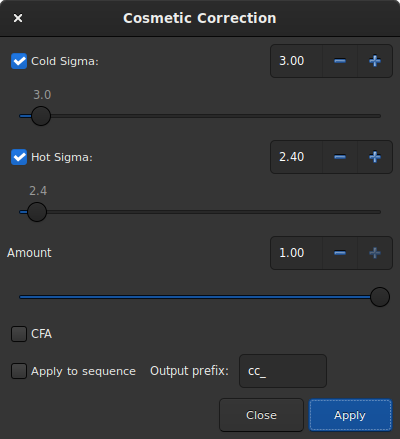
Dialog window of Correction Cosmetic tool.
The dialog window contains several parameters necessary for the proper functioning of the tool. However, using the default settings usually gives good results.
Cold Sigma: How many times (in average deviation units) a pixel value must differ from the value of surrounding neighbors to be considered as a cold pixel.
Hot Sigma: How many times (in average deviation units) a pixel value must differ from the value of surrounding neighbors to be considered as a hot pixel.
Amount: This is a modulation parameters where 0 means no correction and 1, 100% corrected.
CFA: This option needs to be checked for CFA images with Bayer pattern. It does not work for X-Trans sensor.
This operation can be applied to sequences. Open a sequence and prepare the
settings you want to use, then check the Apply to sequence button and
define the output prefix of the new sequence (cc_ by default).
Theory
Hot pixels detection
Let's call \(m_{5\times 5}\) the median of the 5 nearest neighbors. If the pixel value is greater than
with avgDev, the Average Deviation of the whole image.
Then the pixel is replaced by the average of the \(3\times 3\) pixels: \(a_{3\times 3}\), but only if
Cold pixels detection
If the pixel value is less than
then the pixel is replaced by \(m_{5\times 5}\).
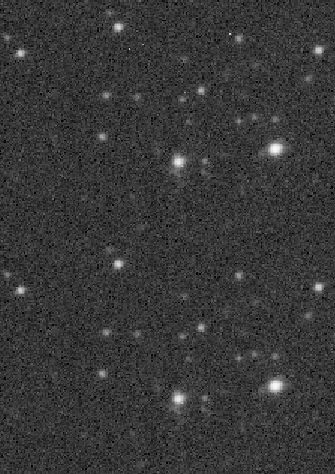
Animation showing cosmetic correction.
Siril command line
find_cosme cold_sigma hot_sigma