Filtro Anti-Viola
Si tratta di un filtro cosmetico progettato per ridurre l'effetto della frangia viola attorno alle stelle che può essere visibile quando si utilizza un rifrattore acromatico, soprattutto quando si esegue l'imaging a banda larga. Funziona su immagini a colori stirate.
Suggerimento
Questo filtro è progettato per funzionare su immagini non lineari. È quindi imperativo utilizzarlo una volta che l'istogramma è stato stirato.
Il filtro offre due modalità di funzionamento in cui i suoi effetti possono essere globali o limitati alle sole stelle.
Riduce le frange viola applicando una maschera di luminanza al canale blu basata sul canale verde e consentendo di ridurre l'intensità del canale blu. In modalità maschera stellare, limita gli effetti alle aree attorno alle stelle identificate.
Global
This mode is useful when working with a starmask or with images containing just stars, e.g. a globular cluster. This is not so useful for nebula or galaxy images where the colour might be affected.
Per usarlo, dovresti ridurre il cursore Regolazione blu finché gli effetti non saranno ottimali. Questo è generalmente intorno a 0,15.
Puoi anche aumentare il cursore Soglia per limitare gli effetti a quei pixel in cui la luminanza è superiore a questo valore. In questa modalità, il valore ottimale sarà piuttosto basso.
Maschera Stellare
Questa modalità è utile per immagini combinate in cui desideri limitare gli effetti di questo filtro solo alle stelle.
Per usarlo, dovresti spuntare Usa Maschera Stellare. Se non hai già definito una maschera stellare utilizzando la funzione Dynamic PSF, ci sarà un ritardo di alcuni secondi durante la generazione della maschera. Ora puoi ridurre temporaneamente la Regolazione blu a zero. Le tue stelle ora dovrebbero essere gialle. Se vedi ancora la frangia viola, dovresti aumentare il cursore Soglia finché la frangia non sarà completamente coperta dal giallo. Ora puoi aumentare il cursore Regolazione blu fino a quando le tue stelle non saranno più gialle ma la tua frangia viola sarà ridotta o eliminata, in genere intorno a 0,12-0,15.
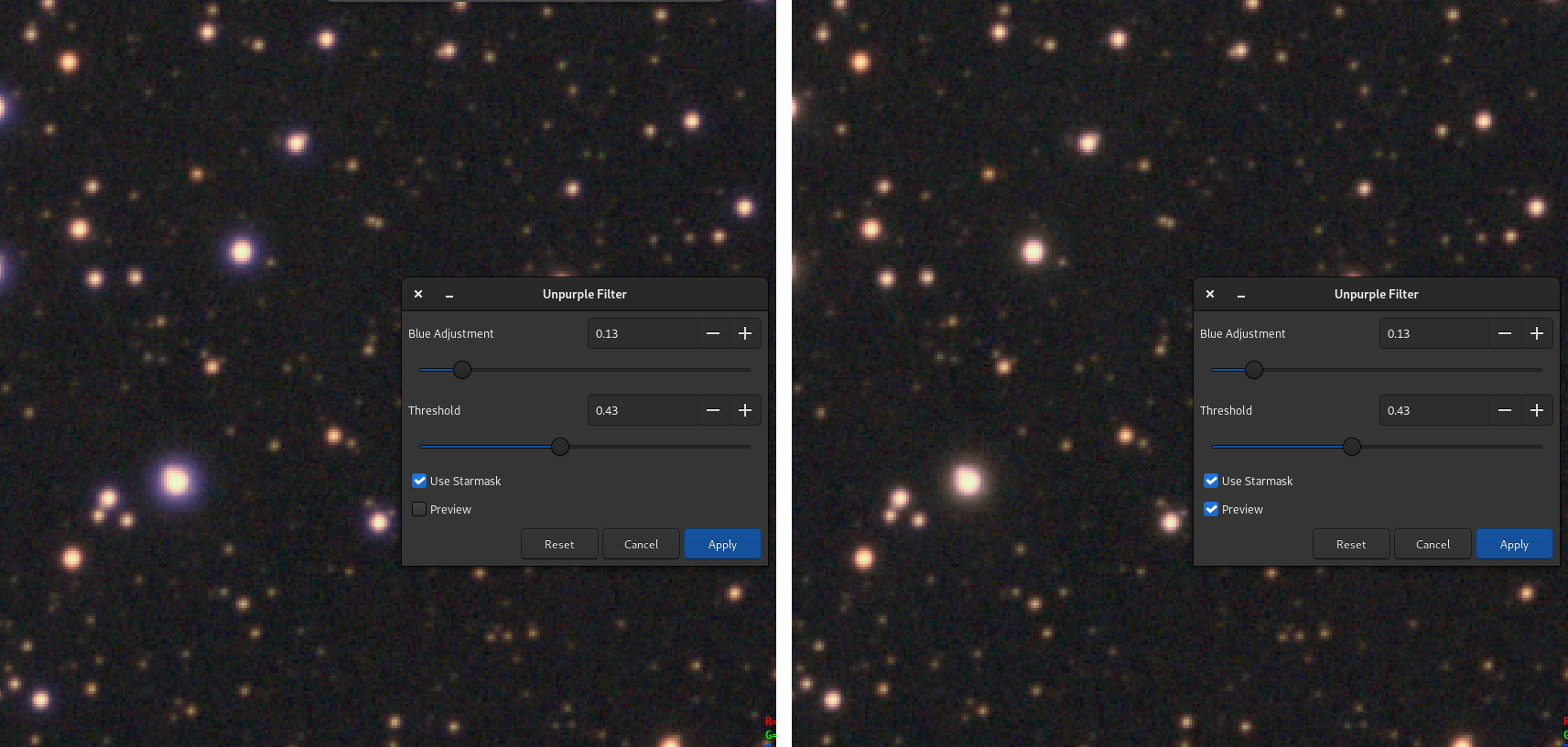
Confronto prima/dopo l'applicazione del filtro anti-viola. Possiamo vedere molto chiaramente che le stelle hanno un colore migliore, senza l'anello viola.
Siril command line
unpurple [-starmask] [-blue=value] [-thresh=value] [-mask]